


Find the best fit for the job.
Algorithms compare job requirements with skills, availability and who has worked well together. You see suitable alternatives and approve the allocation.
Less searching. Better use of your own people.
One shared plan, site to boardroom.
Ask AI for one more week. The project manager asks AI to extend Alex on the school build. The change awaits approval. Approved. The plan extends. One week is added. RessursAgent automatically checks how the change affects the rest of the plan. The system spots the conflict. Alex is already booked on the nursery that same week. The project manager gets an alert. One change affects two projects. The resource planner gets in-app and email alerts, then opens the conflict directly in the master plan. Keep Alex with the team. The system recommends keeping Alex. The planner reviews the short commute, familiar team and needs across projects. Approved. Alex stays at school. The resource planner approves the allocation. The system now identifies the open requirement at the nursery. The nursery needs a carpenter. The system updates the requirement: a qualified carpenter with timber framing experience. Several people fit the job. Daniel, Sara and Sam meet the requirements. Daniel is recommended: back from leave and familiar with the team. Daniel is assigned to the nursery. The planner selects Daniel. The system updates the plans and notifies everyone affected. Both get their new mobile plan. Alex and Daniel get push alerts and open their updated plans. The project manager follows up in the project plan. Management sees the impact. Management gets an alert and opens the overview: more in-house production, better teamwork and less travel. Qualified carpenter. Timber framing.
1000+ users
Site workers, project teams and leadership. One shared plan.
10× faster
Find answers, allocate resources and make changes with AI.
<10% lower resource costs
Better use of your own resources. Visibility into hiring in and hiring out.
Plan better for tomorrow’s.
Machines break down, people get sick and jobs take longer. RessursAgent shows the impact, suggests solutions and notifies those affected when you approve a new plan.
Algorithms compare job requirements with skills, availability and who has worked well together. You see suitable alternatives and approve the allocation.
Less searching. Better use of your own people.
One up-to-date master plan for everyone. See which projects and resources are affected when something changes. Once a new allocation is approved, the plan updates and those affected are notified automatically.
Fewer misunderstandings and less chasing.
Management sees capacity today and project needs up to three years ahead. Spot where you will be short of people and where you have spare capacity before the next job starts.
A better basis for staffing and hiring in.
Crew lists in Excel, HR systems and time tracking form the foundation. Bring data in through imports and connections, and use it in planning. No need to start from scratch.
See what you can connectOne shared plan, site to boardroom.
Capacity, future demand and resource costs. Across the organisation.
Watch this chapterPeople, equipment, skills and absence. Across departments.
Watch this chapterStaffing, activities and open needs. Together in the project view.
Watch this chapterAssignments, locations, changes and skills. Available on your phone.
Watch this chapterFind answers, create needs and update the plan with AI. The Agent uses information in RessursAgent. You approve the changes.
Write a short instruction in RessursAgent, alongside the plan you are working on.
Simplified example with fictional data. No changes are made here.
Write a short instruction in RessursAgent, alongside the plan you are working on.
It finds the resource, project, dates and capacity.
The proposal shows the old and new end dates. No need to fill in everything yourself.
In Ask first mode, review the proposal and choose Approve or Reject.
Who is available next week with the right skills?
Get answers from your resources and plans without searching several views.
We need two carpenters on this project next week.
Describe who, where and when. The agent helps create the request.
Who can take over this assignment?
See alternatives and check skills and capacity before making a swap.
Extend this assignment by three weeks.
See what changes and whether overlaps arise before approving.
Text the team about the new meeting point.
Get help with the message and recipients. Review the content before sending.
Show me this project in the plan.
Go straight to the relevant view, project or resource from the conversation.
Algorithms compare demand, capacity, skills and location. See opportunities for better allocation before you decide.
An open requirement appears in the plan with its dates and criteria.
Simplified example with fictional data. No changes are made here.
An open requirement appears in the plan with its dates and criteria.
See who is available. Candidates are ranked by how well they match the requirement.
Review role, skills and capacity for the period you need help.
Consider the proposal alongside the rest of the plan before assigning the resource.
Find your own people and equipment to cover open needs or replace hired resources. See capacity and requirements together.
See in the appCompare future project needs with your capacity. Spot busy and quiet periods early, including when potential projects are added.
See in the appSee when your resources become available and weigh hiring them out against upcoming needs. Keep the capacity you will soon need yourself.
See in the appGeographic clusters show where projects can share people and equipment. Find opportunities for less travel and better utilization.
See in the appConsider past project work, skills and who has worked together. Build teams that fit the task.
See in the appCompare planned moves and alternative resources. See where swaps can reduce travel and make the working day more coherent.
See in the appSuggestions use your information and assumptions. You assess the alternatives and decide what to put into practice.
NewGroup planning
An opportunity for others.
Make people and equipment available for internal hire. Other companies in the same corporate group can see the available resources, helping you use the capacity you already have.
Choose which people and equipment can be hired internally, and when they are available.
Released resources become available to other organisations in the same corporate group.
Match available resources to your project needs before looking for external hire.
Skills and requirements, needs and requests, bids and projects, leave and repairs. Together with timelines, spreadsheets, email, chat and AI in one familiar workspace.
Keep resource details and planning fields beside the timeline. Choose columns and widths, freeze important fields and switch between resources and projects.
Register needs for people or equipment with position, trade, equipment type or model, qualification requirements, quantity, period, allocation and shift. Compare candidates by fit and availability, then staff, reject or cancel the need.
Break a project into activities with owners and dates. Allocate planned resources, organise project teams with team leaders and shifts, and see what still needs staffing.
Use shift templates for day, night, weekend, rotation, on-call and round-the-clock operation. Register overtime, extra workdays and days off, and absence such as holiday, sick leave, leave or maintenance – in full or in part.
Find a saved plan version by date, search and filter its contents, and export Excel or PDF. History shows saved snapshots while leaving the current plan unchanged.
Follow bids from draft and qualification to submitted, negotiation, won or lost, with customer, period, value and probability. Register needs for positions and equipment models, and choose whether the bid is included in the simulation.
See where your people and equipment can replace external resources. Set requirements for role, trade, skills and equipment, then assess proposals by period, availability and estimated financial impact.
Find swaps that bring together employees with shared work experience. Choose the strength of the connection and whether one or both projects must benefit. Explore proposals in a list, map or network.
See who lacks required qualifications, when gaps appear and which are most urgent. Filter the requirements and explore actions, priorities and estimated costs.
Choose what can be shared and how close projects must be. Compare the forecast with proposed changes and see coverage, freed workdays and external resources that could be replaced.
Adjust area, requirements and minimum travel savings. See travel distances before and after each proposal, the people involved and estimated savings. Use the list or map to assess swaps.
Assess planned transfers against travel, collaboration and clusters. Find alternative resources that match role and competency requirements, and review each proposal before changing the plan.
Prioritise open project needs, replace or reduce external resources, consider internal work and find rental potential. See how proposals affect the utilisation of people and equipment.
See where your own capacity covers demand. Explore the effect of roles, secondary roles, skills, training and mentoring, as well as alternative equipment groups. See how actions affect other indicators too.
Select bids and assess them as won or weighted by probability. See what your own resources can cover, where gaps arise and estimated costs. Explore the assessment in a gap analysis, list or map.
Register people and equipment with department, position, trade, equipment type and model, work base and affiliation: in-house, hired or subcontractor. Link hired resources to a supplier and equipment to a base.
See project experience, calculated hours, collaboration, leadership and skills in one person overview, with an explanation of the underlying data.
Track competency coverage week by week. See mandatory and recommended gaps, what planned courses cover and who meets the requirements. Filter by period, project and position, and open the resources that need follow-up.
Set requirements on a position, person, trade, team, project team, tag, project, activity, equipment group, equipment model or individual machine. Mark what is mandatory and see how many resources each requirement applies to.
Label resources and projects with tags that can carry a price or supplement per hour, day or month, or as a fixed amount, and link them to teams, trades and project teams. Tags can also set qualification requirements.
Give access as Profile, Viewer, Project admin for selected projects or Admin with selected functions. Use the product in Norwegian, Swedish, Danish, English, Finnish, Polish, Estonian or German.
Follow monthly, cumulative or project costs calculated from planned hours and price tags. Choose a plan version, currency and resources. Incomplete pricing data is clearly marked; the forecast is not an accounting report.
Ask questions and receive suggestions with references to resources, projects and teams.
Add comments to projects, resources, assignments, needs, absence, teams and workday exceptions, with a validity period where needed.
See who changed what and when – including changes made by the system, an import or an API key. Open event details and filter by actor, object, action and date.
Gather events and signals from the plan, marked as information, warning or action required. Search, prioritise and follow up double bookings, unfilled needs and qualification deadlines.
Share selected planning information by SMS and email. Export the master plan, allocations, competencies, availability and staffing by activity to Excel, or use PDF. Insight views also offer Excel, Word and PDF exports.
Bring in master data through controlled imports, connect your own systems to the documented API and give compatible AI tools access through MCP within the user's role.
Available features depend on the user's role and the organisation's configuration.
Use the data you have. Connect it to your plan.
Locations, tasks, changes and skills. For employees, hired workers and subcontractors.
See today’s assignment, meeting point, hours, shift and project manager. Browse days and weeks, and open the projects you are assigned to.
Try for free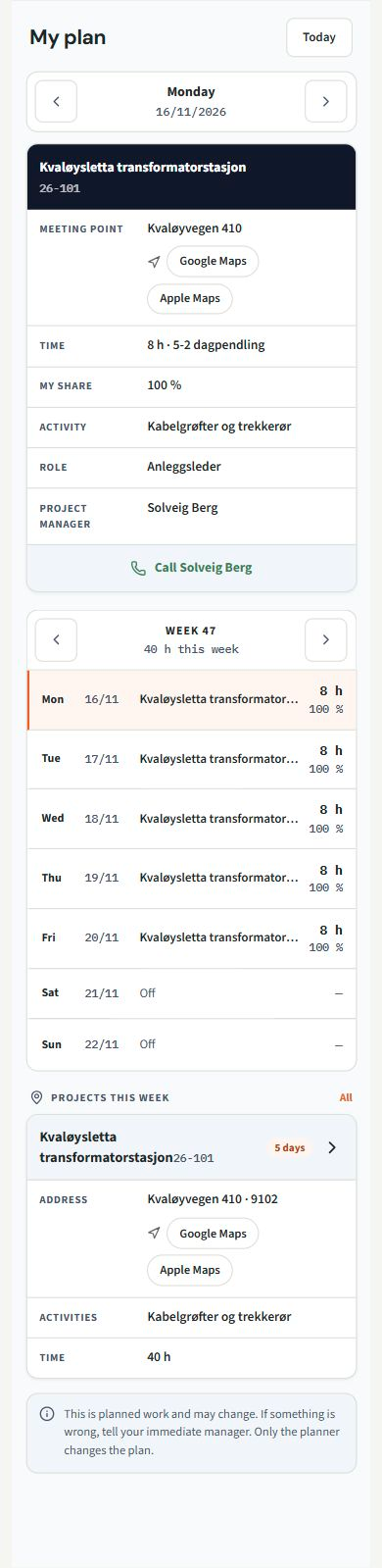
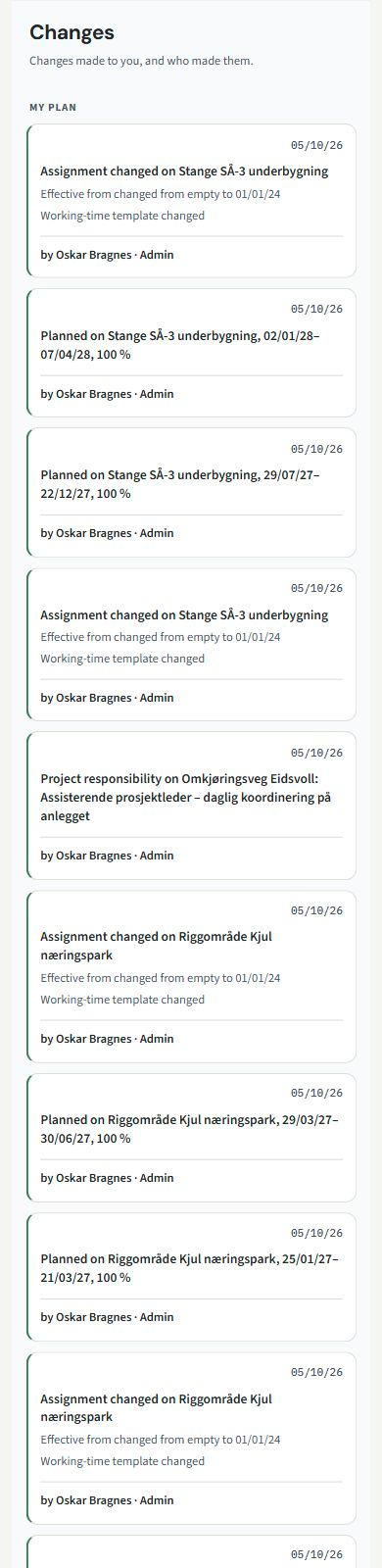
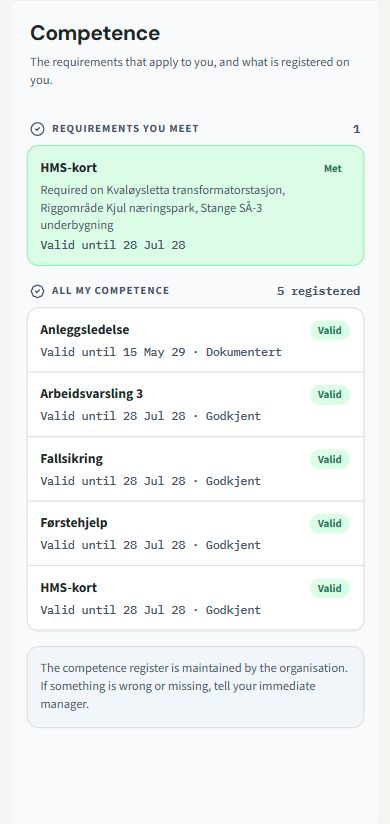
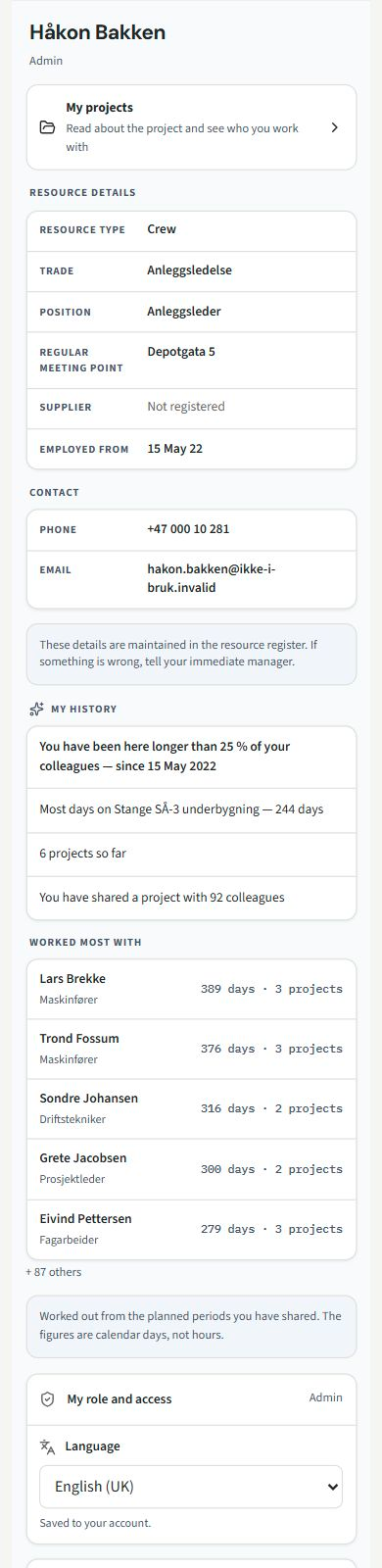
Scroll inside the phone to see more. Switch views with the buttons at the top.
Screenshots from the app in English, with fictional example data.
Developed for construction. With expertise in the industry, finance and technology.
RessursAgent is configured for your roles, workflows and resource needs. See how it fits your organisation.


